Mexicano league
A complete guide to running league competitions in the Mexicano format: creating seasons, managing rounds, entry forms and rankings.
Mexicano league is the league version of the Mexicano format, where partners rotate each round based on the current standings. Every player scores individually, and after each round the system pairs people with similar positions together. This keeps matches closely contested and makes every point scored a direct factor in who you will partner next.
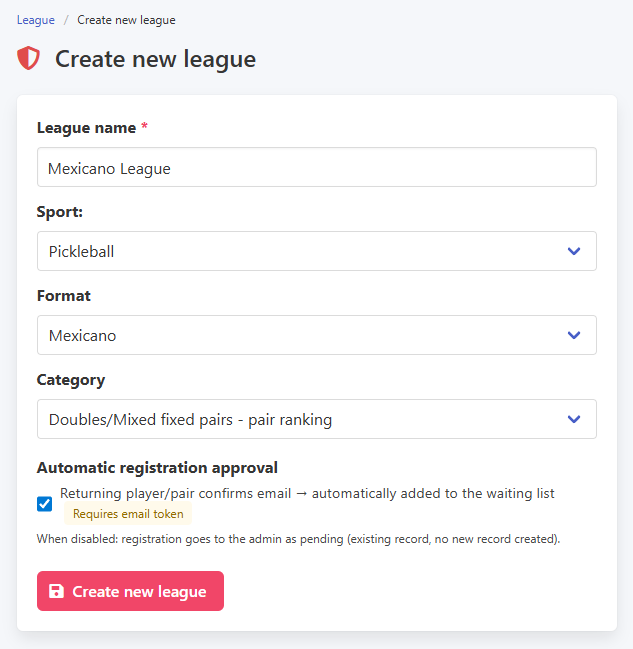
To create a Mexicano league, go to the League menu and select Create a new league. Enter the name, choose the sport and select Mexicano as the format. When picking the category, pay attention to the available variants: Mexicano can be played individually, where each player rotates partners, or with fixed pairs. The returning players option works the same way as in all other league formats.
Creating a Mexicano league
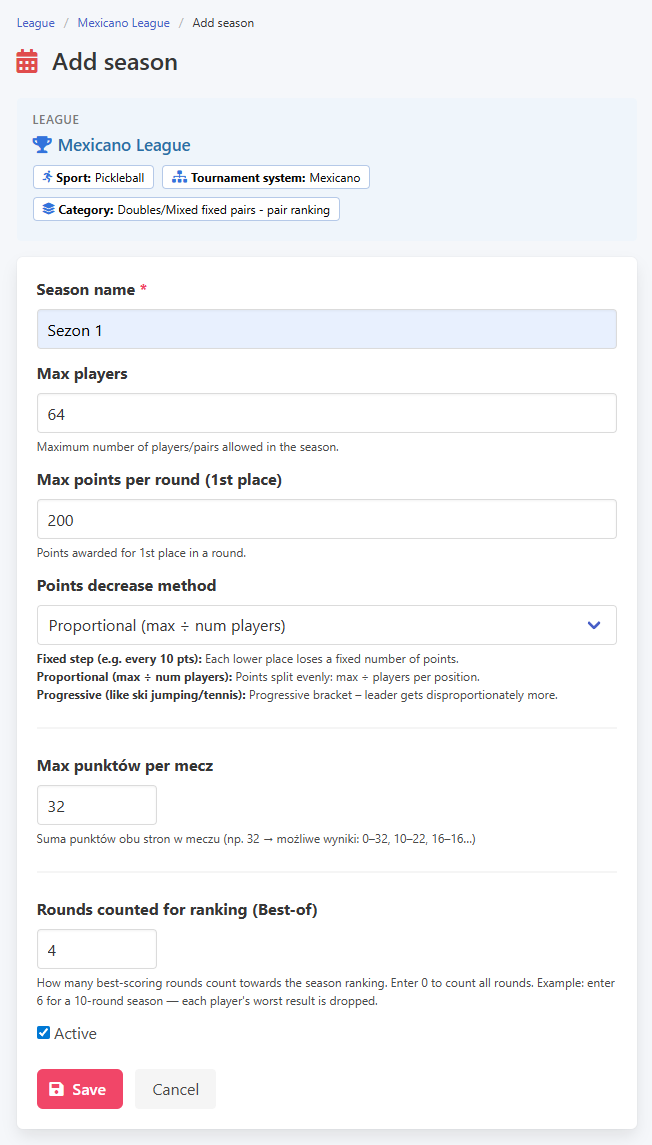
Season configuration is similar to Americano. The main setting is the number of points per match. For the individual variant, it is a good idea to ensure the number of participants is even, since the system pairs them up for each round. You also set up best of and the ranking point formula here.
Creating a season
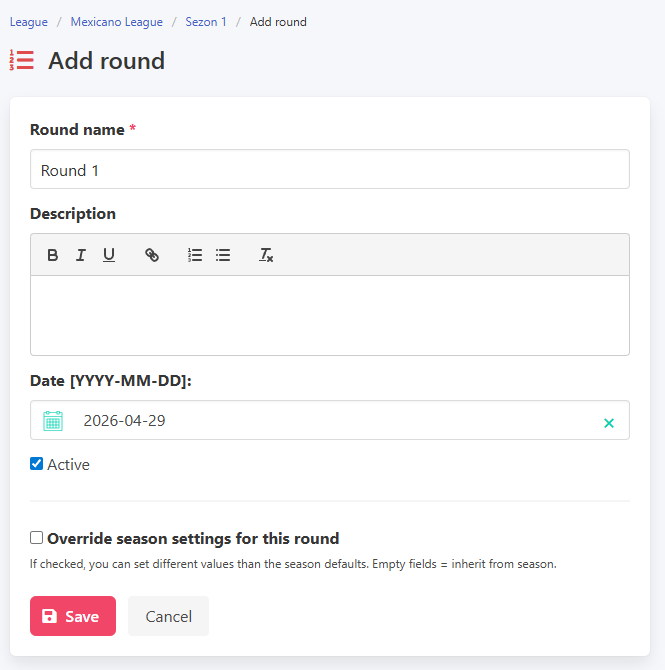
Adding a round is identical to all other formats: enter a name and a date, with the option to override season-level settings for that specific round.
Adding a round
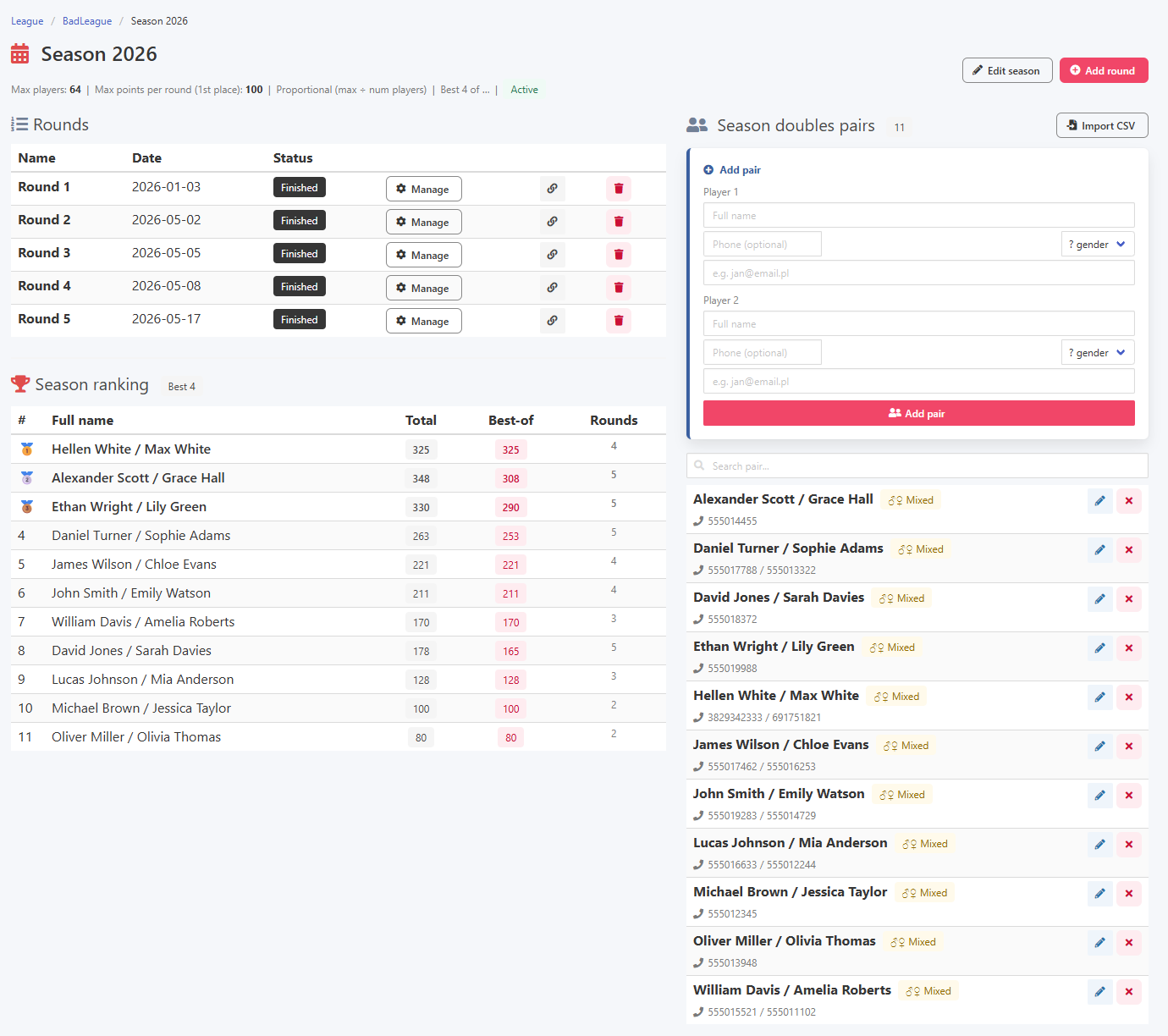
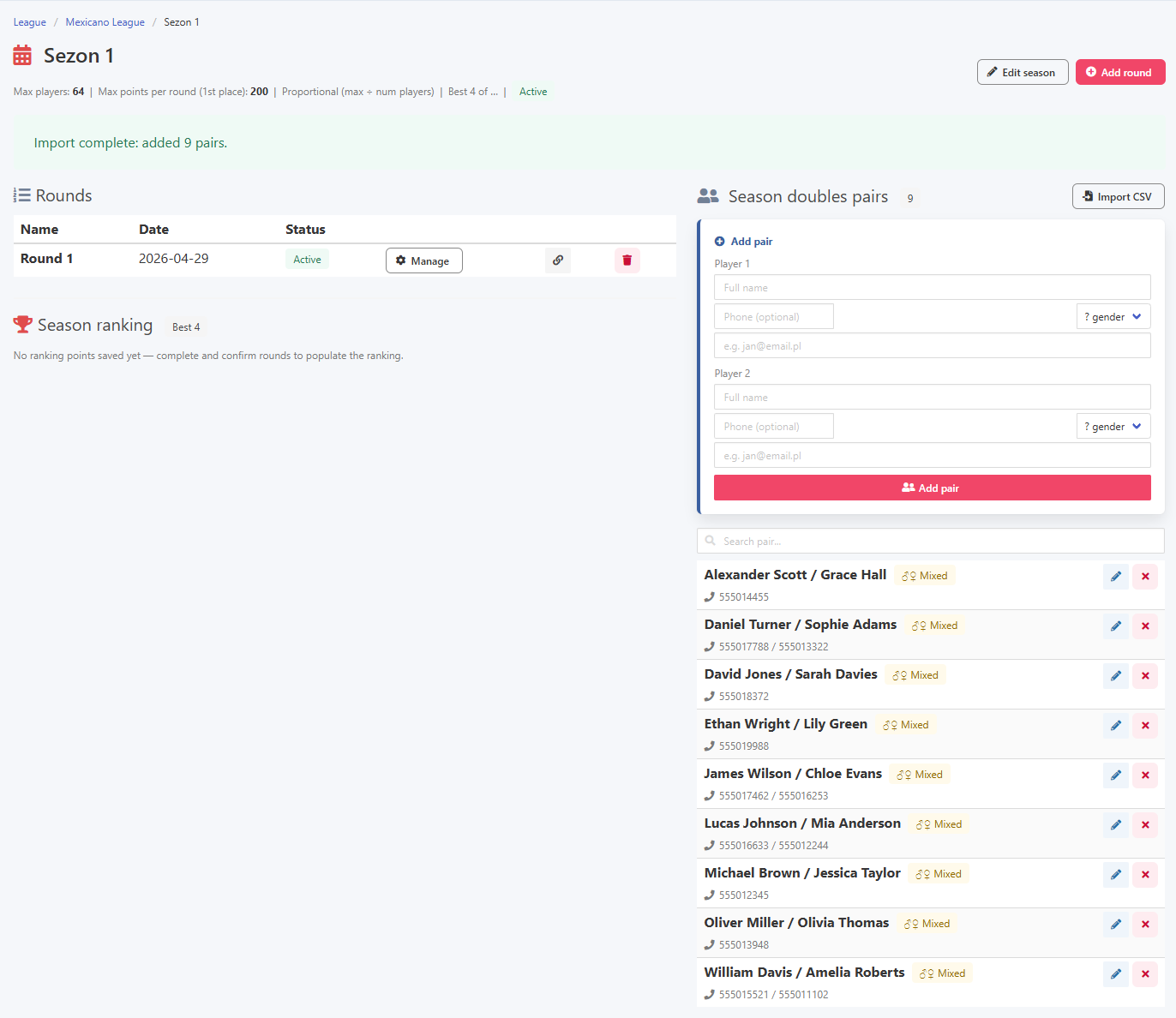
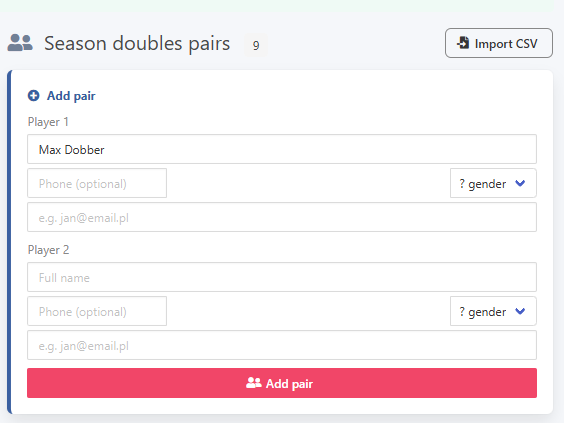
The season view is divided into three sections: rounds, ranking, and seasonal players. New participants can be added to the season directly from this view.
Season view and adding a seasonal player
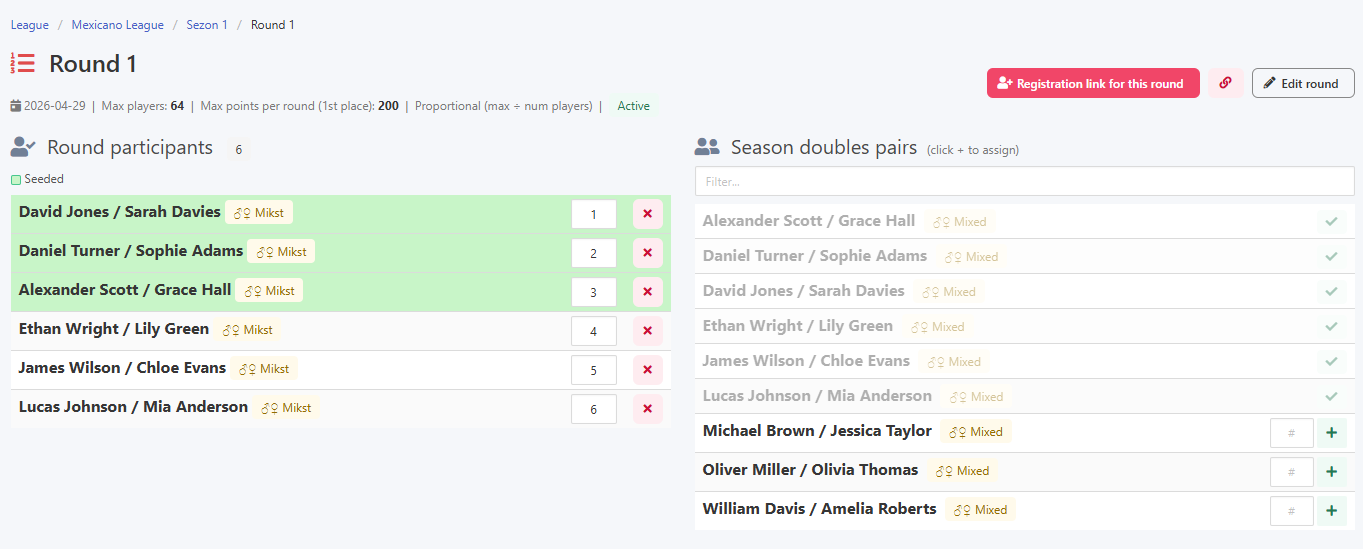
Players are added to a round by clicking the plus button next to the player or pair. In the individual variant, the list shows individual participants. In the pairs variant it shows fixed pairs.
Adding players to a round
An entry form is available just as in tournaments and is the recommended way to collect registrations.
Entry form
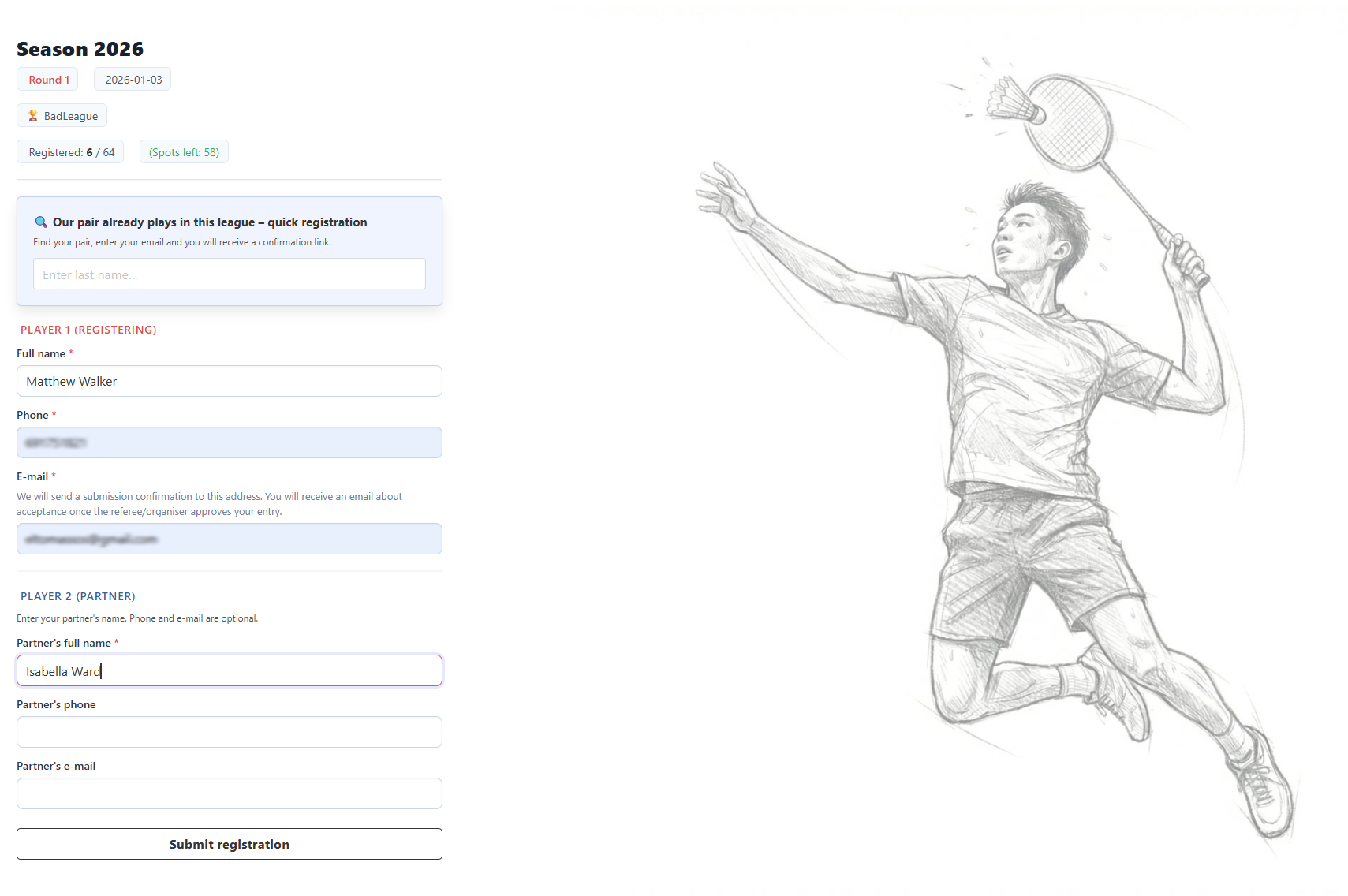
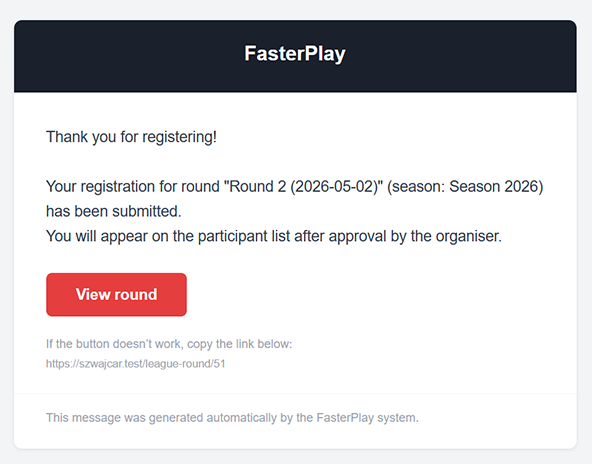
For a first-time registration, the player provides their details and email address, and for the pairs variant also the partner's details. A confirmation email is sent after the form is submitted.
Email confirming entry received
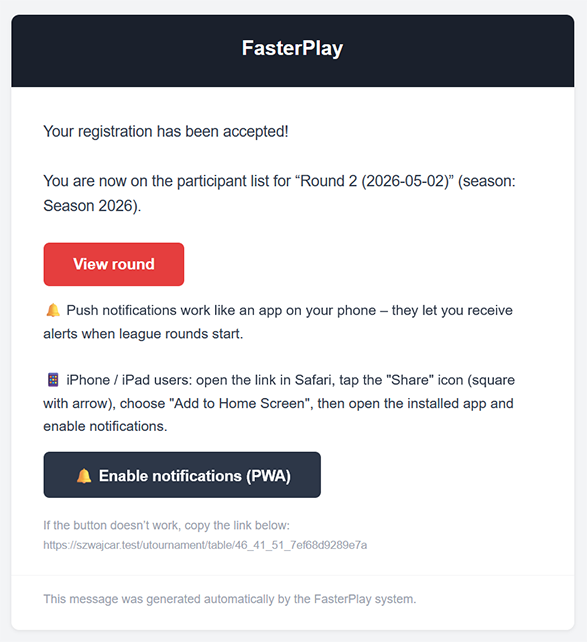
Once the organiser accepts the registration, both sides receive a confirmation email.
New registration and acceptance email

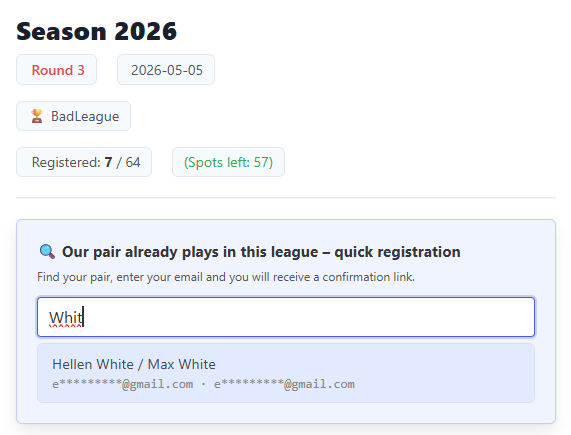
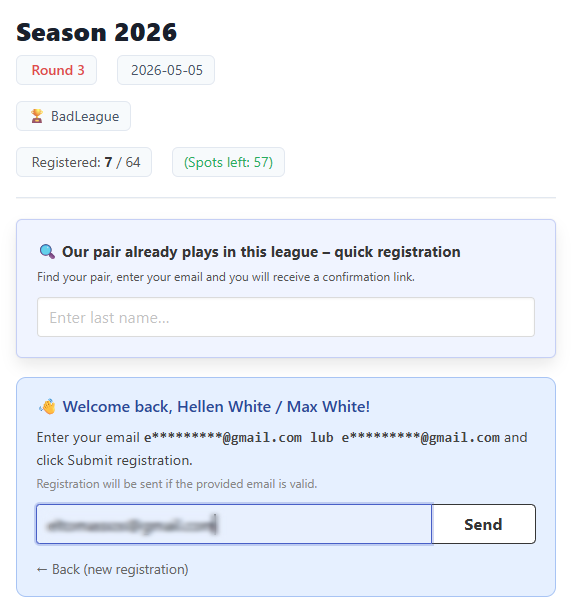
A returning participant can search for their record by typing part of their name, select it from the results, and verify with the email from their first sign-up.
Returning player and email verification
If the automatic registrations option is enabled, a returning player receives an email with a confirmation link rather than waiting for a manual approval from the organiser.
Email asking to confirm participation
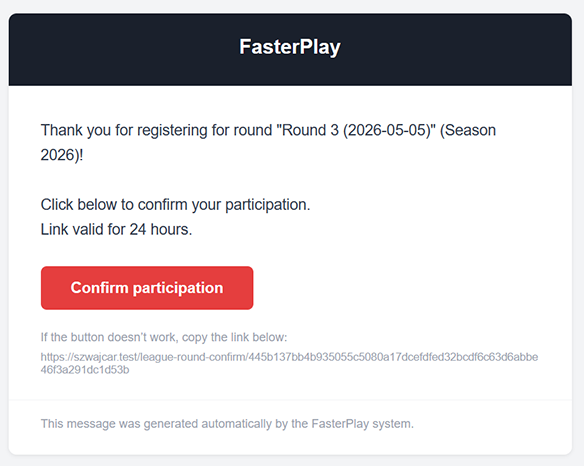
Clicking the link in the email confirms participation in that round.
Participation confirmed
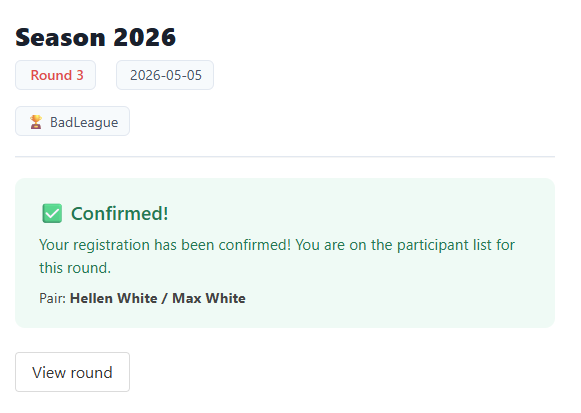
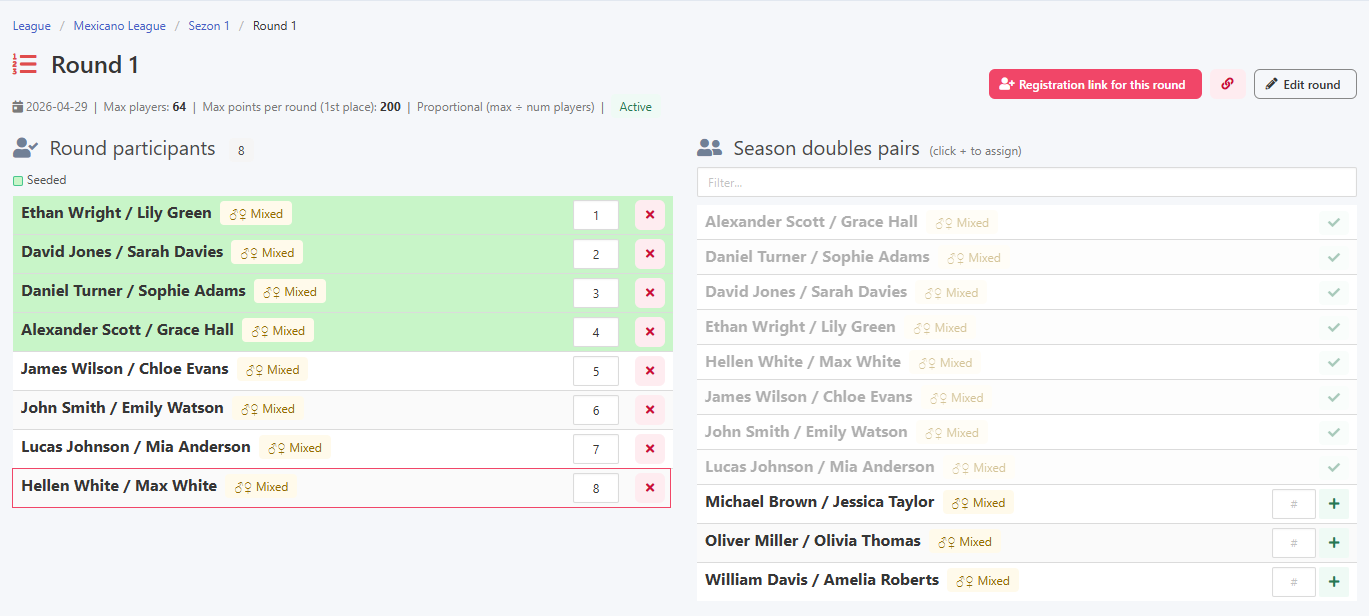
Once confirmed, the player automatically appears on the round's participant list.
Automatically added to the round list
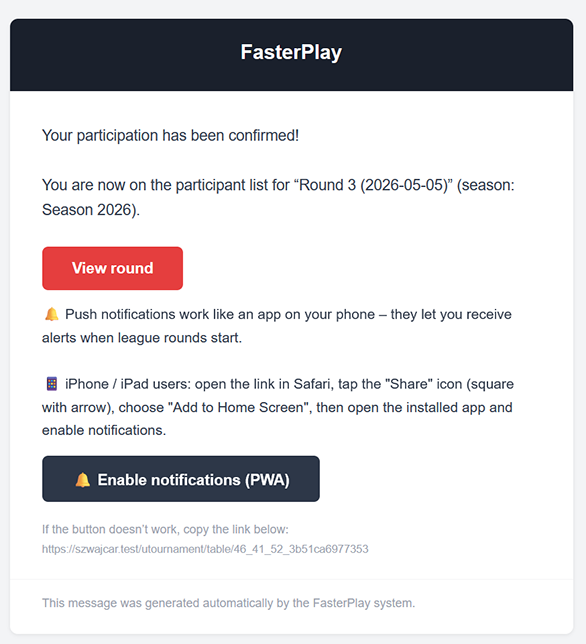
A final confirmation email notifies the player that the automatic registration went through.
Automatic acceptance confirmation email
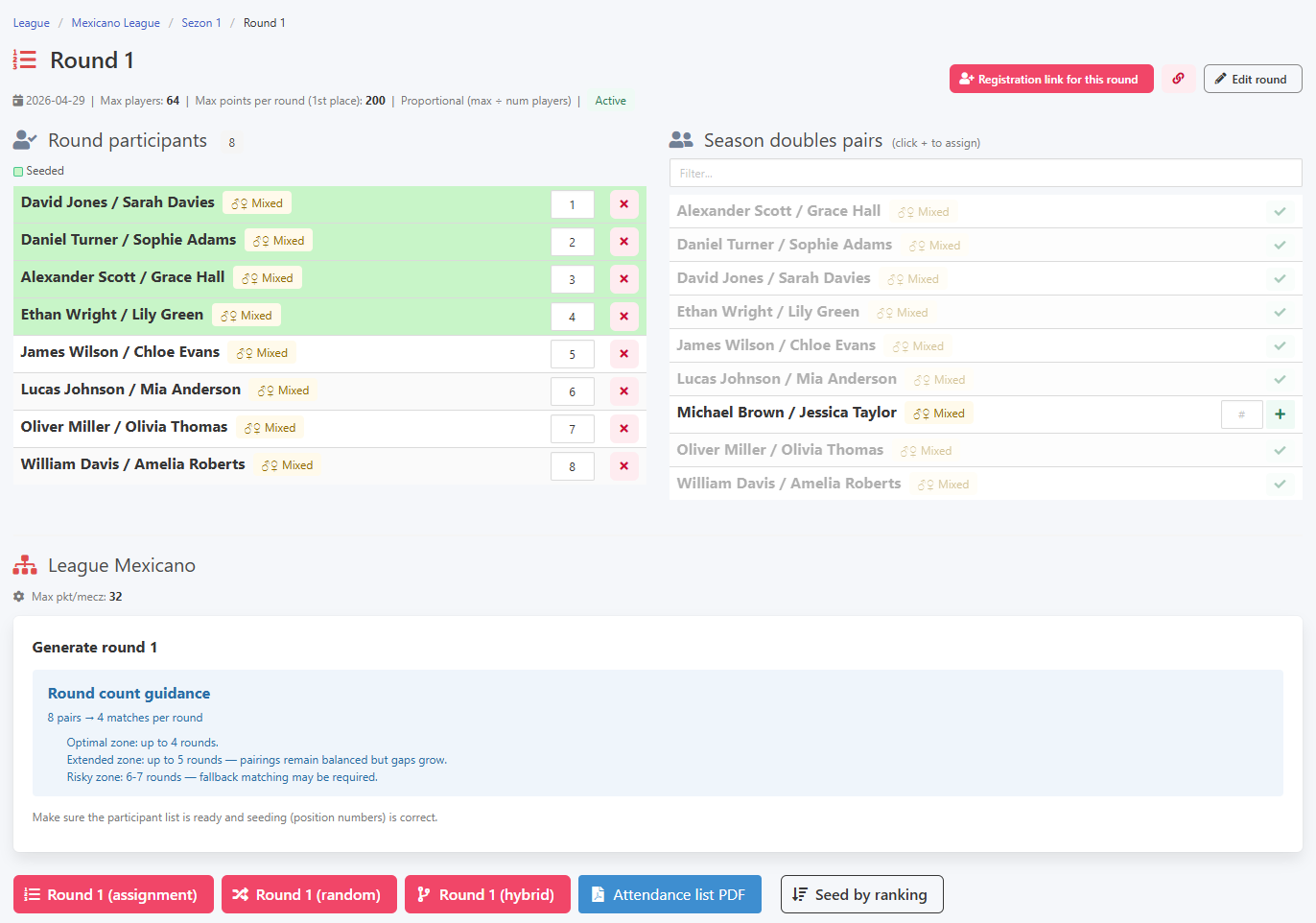
Once the participant list is complete, you can launch the first round.
Ready to start the first round
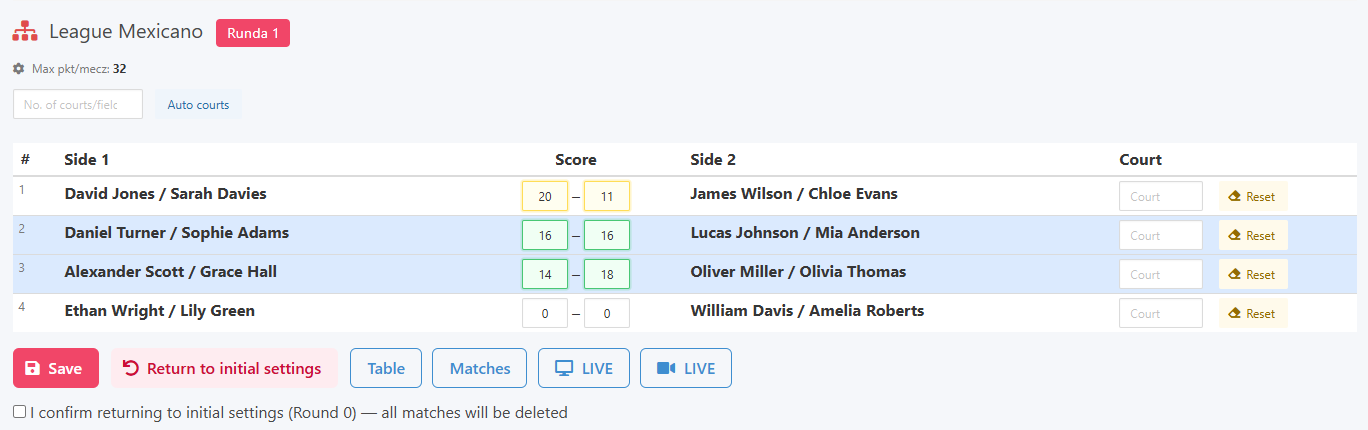
Results are entered as two numbers summing to the match point limit, the same as in Americano. The system validates entries in real time. Partner selection in Mexicano happens automatically after each round: players at similar positions in the standings are grouped together into a team.
Entering results and live validation
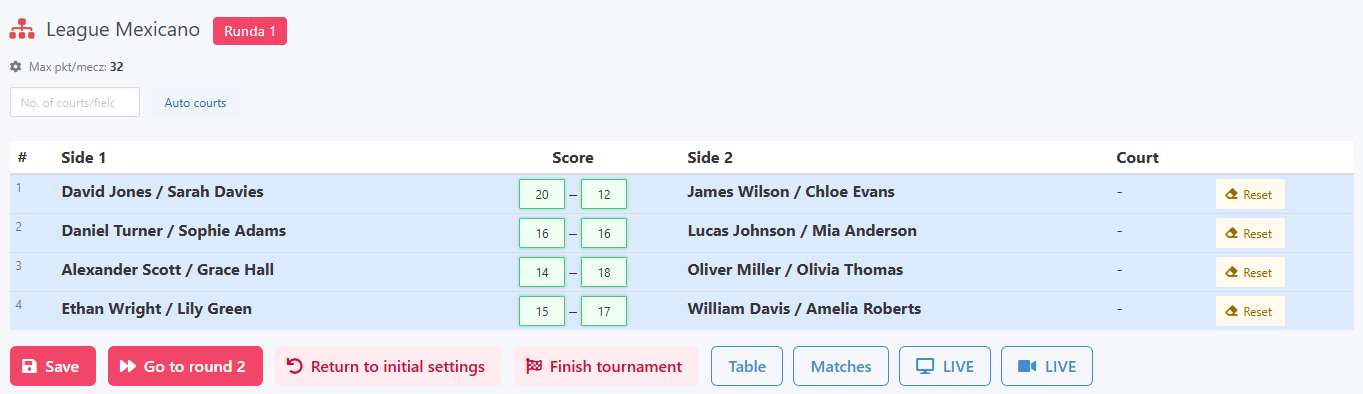
Once all results are in, the button to advance to the next round becomes active.
Ready to move to the next round
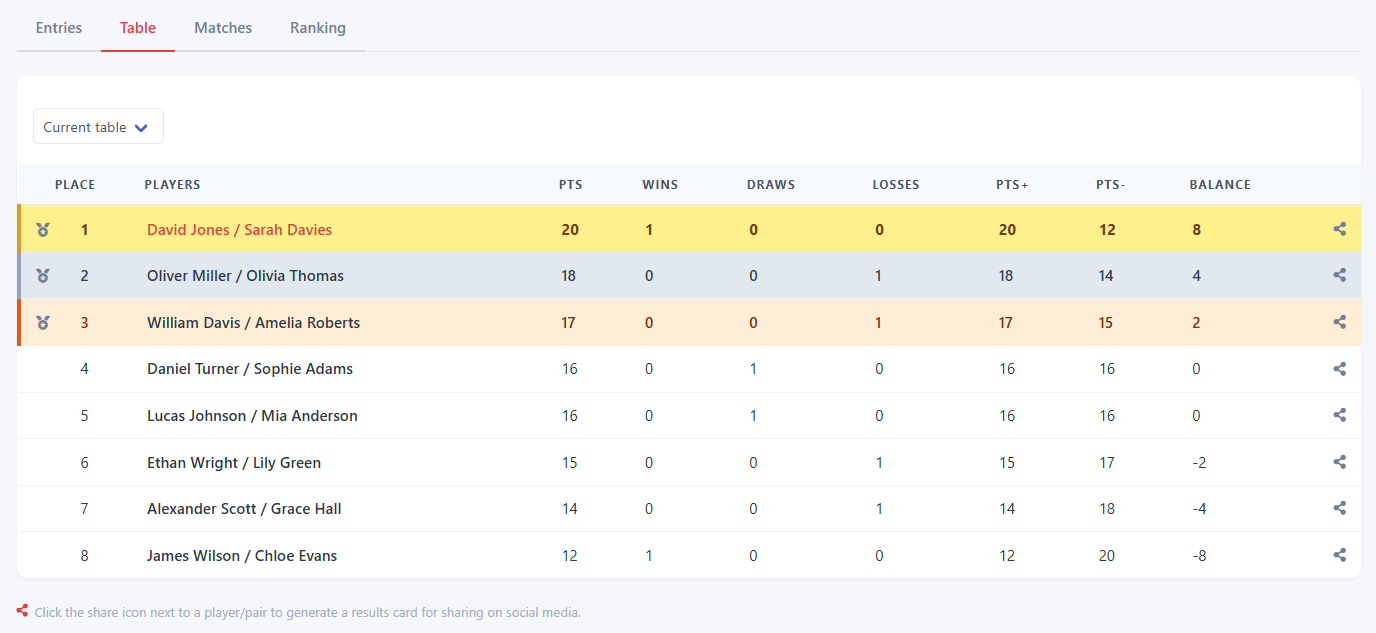
Live statistics are accessible through the same channels as in all other formats: email, QR code, or a direct link.
Results view for players
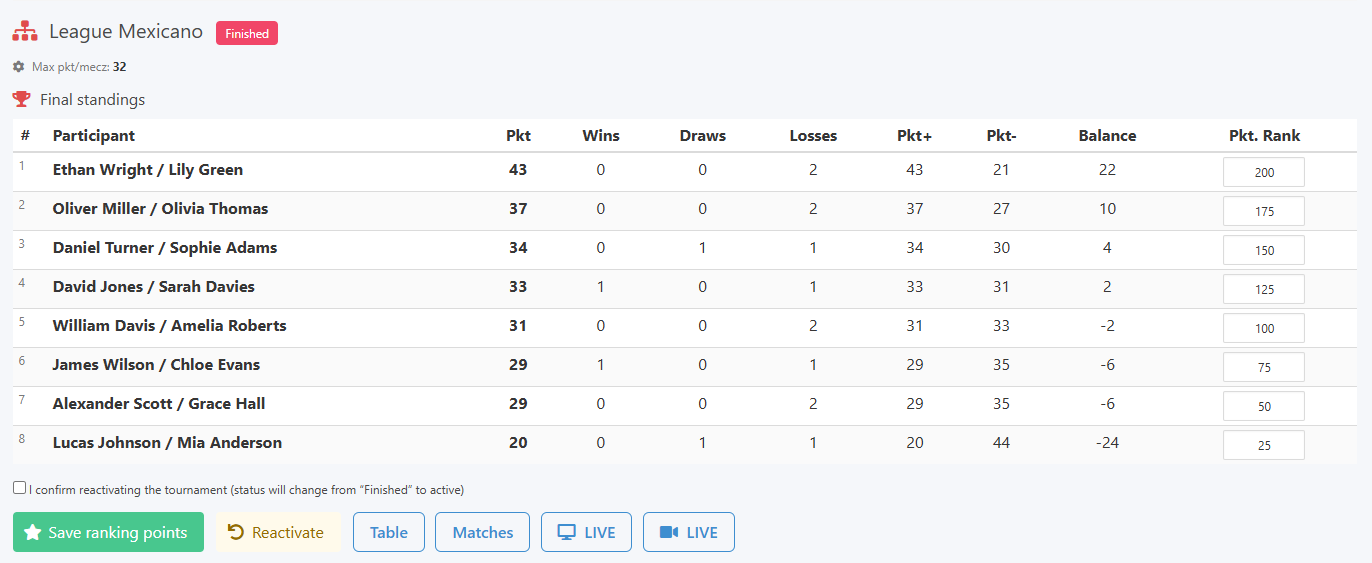
Once the tournament is finished, ranking points are awarded according to the season settings.
Awarding ranking points
The season ranking appears in the season view once points have been assigned.
Season view with ranking
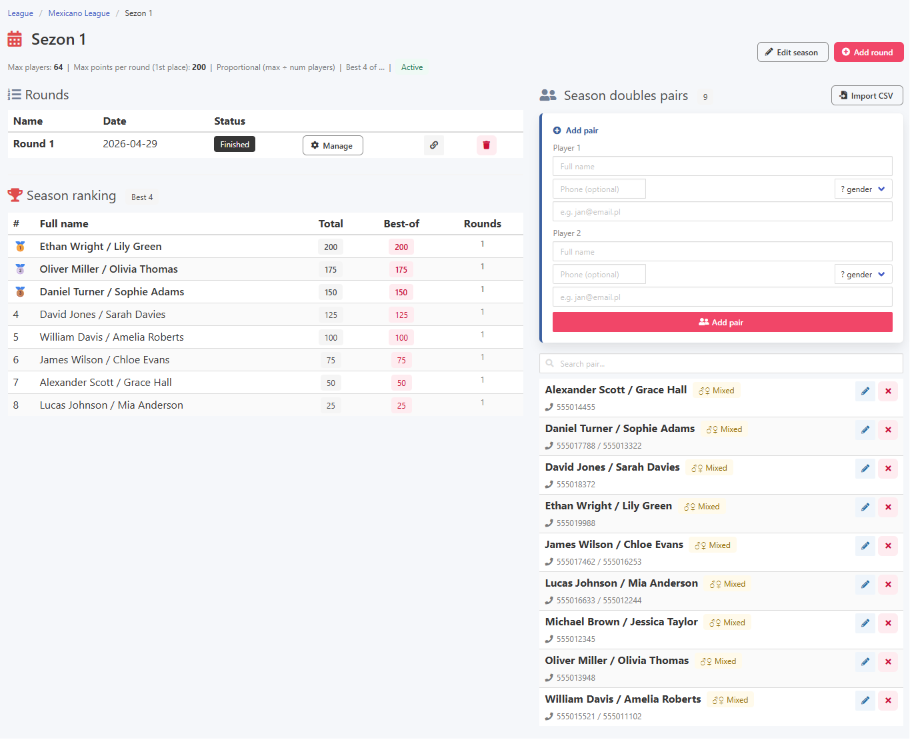
The best of mechanism works the same as in other league formats, counting only the top results toward the overall standings and giving each player flexibility in how many rounds they attend.
Best of mechanism in practice